1stUnit User Guide
Welcome
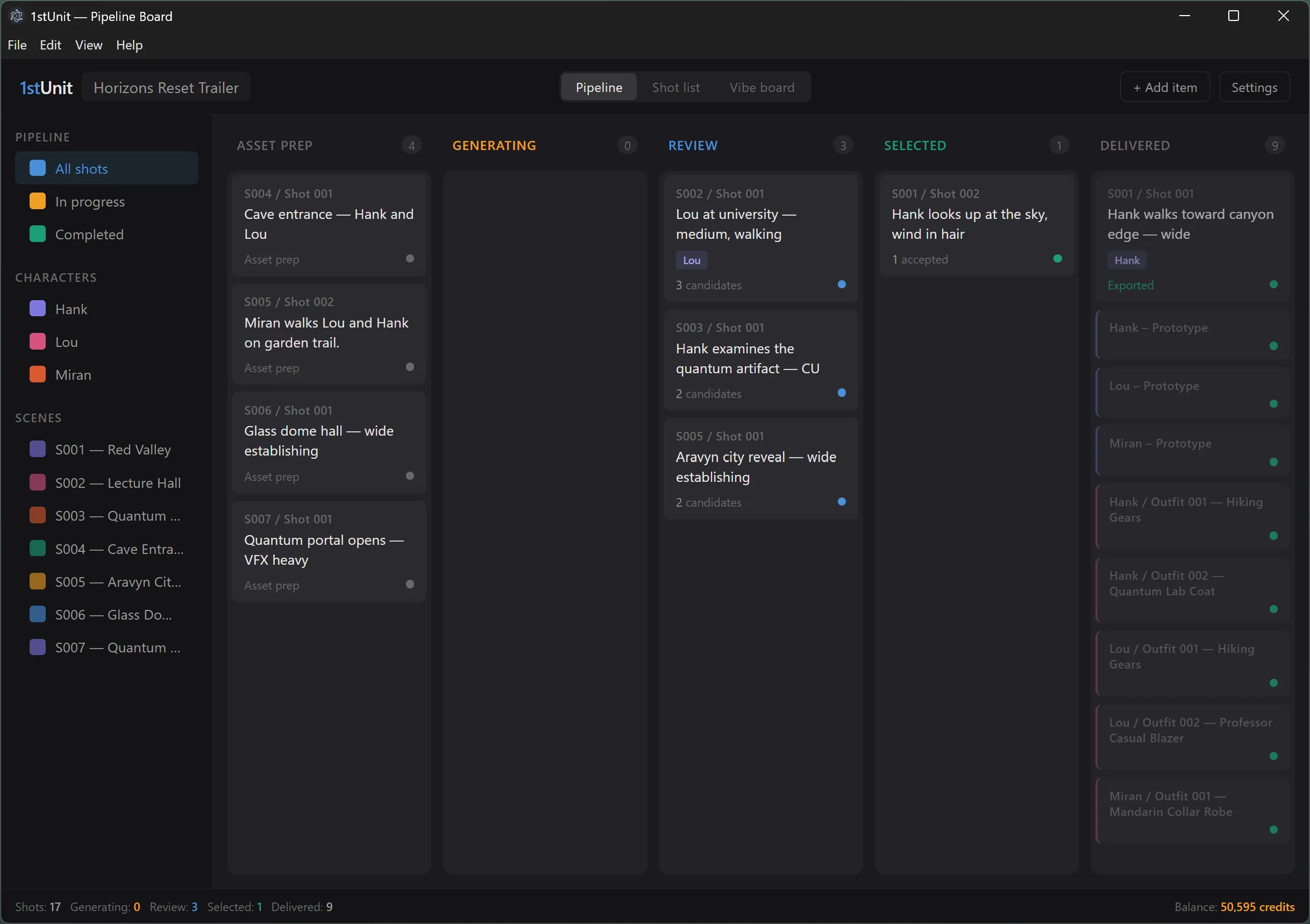
1stUnit is a desktop application for managing AI video production projects. It helps you plan a project shot by shot, generate stills and clips with several AI providers, keep every variation organized, and pick the takes you want to use in your final edit.
This guide walks through the app one screen at a time. If you are new to AI video, the first two sections will get you up and running. If you already know the basics, jump straight to the topic you need from the menu on the left.
What 1stUnit does
- Plans your project shot by shot. Every scene, character, and outfit you need is tracked as a work item with its own status, notes, and references.
- Drives multiple AI models from one form. Six image and video models are available through a single Runway account. You pick the model and the inputs, 1stUnit handles the API calls.
- Keeps every take organized. Each generation produces one or more candidate artifacts. You accept, reject, or export them. Nothing gets lost.
- Remembers how each result was made. Every artifact links back to the prompt, inputs, model, and settings that produced it. You can always trace your steps or repeat a run.
How the guide is organized
The guide is grouped into three parts:
- Start here covers what to install and how to set up your first project.
- Working in 1stUnit covers projects, the four kinds of work items, the three home views, and the shot workspace where most of your time will be spent.
- Generating covers the New Run form, the candidate review flow, a reference for all six AI models, and how credits work.
Use the menu on the left to jump to any topic. Each page has Previous and Next links at the bottom so you can read straight through if you prefer.
About this app
1stUnit is published by Lou Adams Studio LLC and distributed through the Microsoft Store. It runs locally on your Windows PC and stores all your project data in a single database file on your own machine. Your only outside connection is to Runway, which provides the AI generation services.