Creative technology | AI filmmaking
Lou Adams Studio

AI filmmaker app — early access
1stUnit
Lou Adams Studio builds tools for creators working with AI, video and music production.
Founded by a software engineer with 25 years of industry experience and further empowered with AI coding agents, the studio focuses on solving real production problems that emerge when AI video generation moves beyond single shots into full narrative workflows.
In addition to AI-assisted software engineering, we are also working with musicians to create music and music videos. The studio is based in New York City. For our latest creative work, music, and video projects, please visit the Yeeyo Lou artist page.
1stUnit Filmmaker App
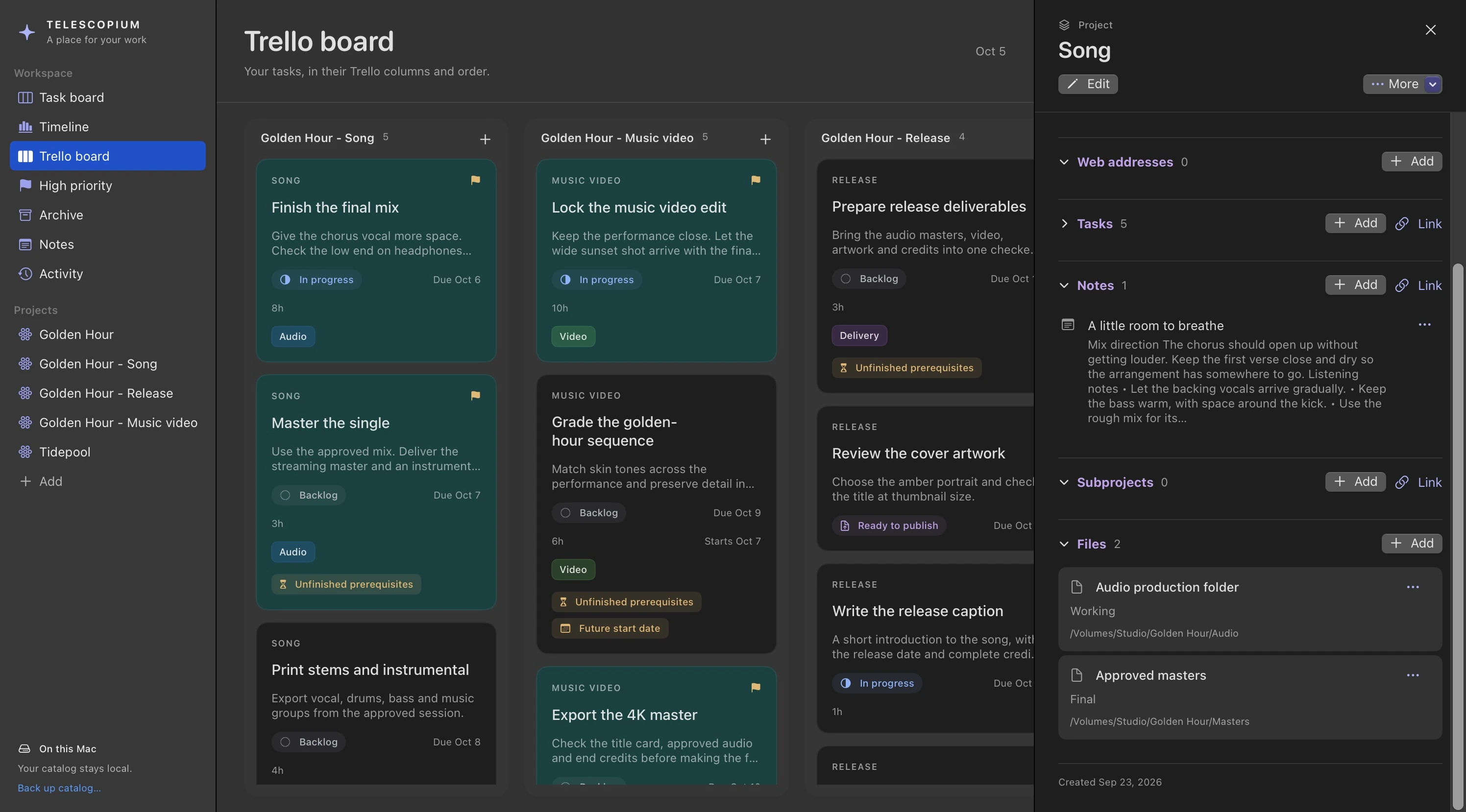
1stUnit is a desktop app for managing multi-shot AI video productions. It sits between your shot list, your AI video generators, and your NLE video editor, giving you a dedicated workspace to orchestrate prompts, compare candidates, track lineage, and move shots through your production pipeline. Currently featuring direct Runway API integration, with additional model support in development.
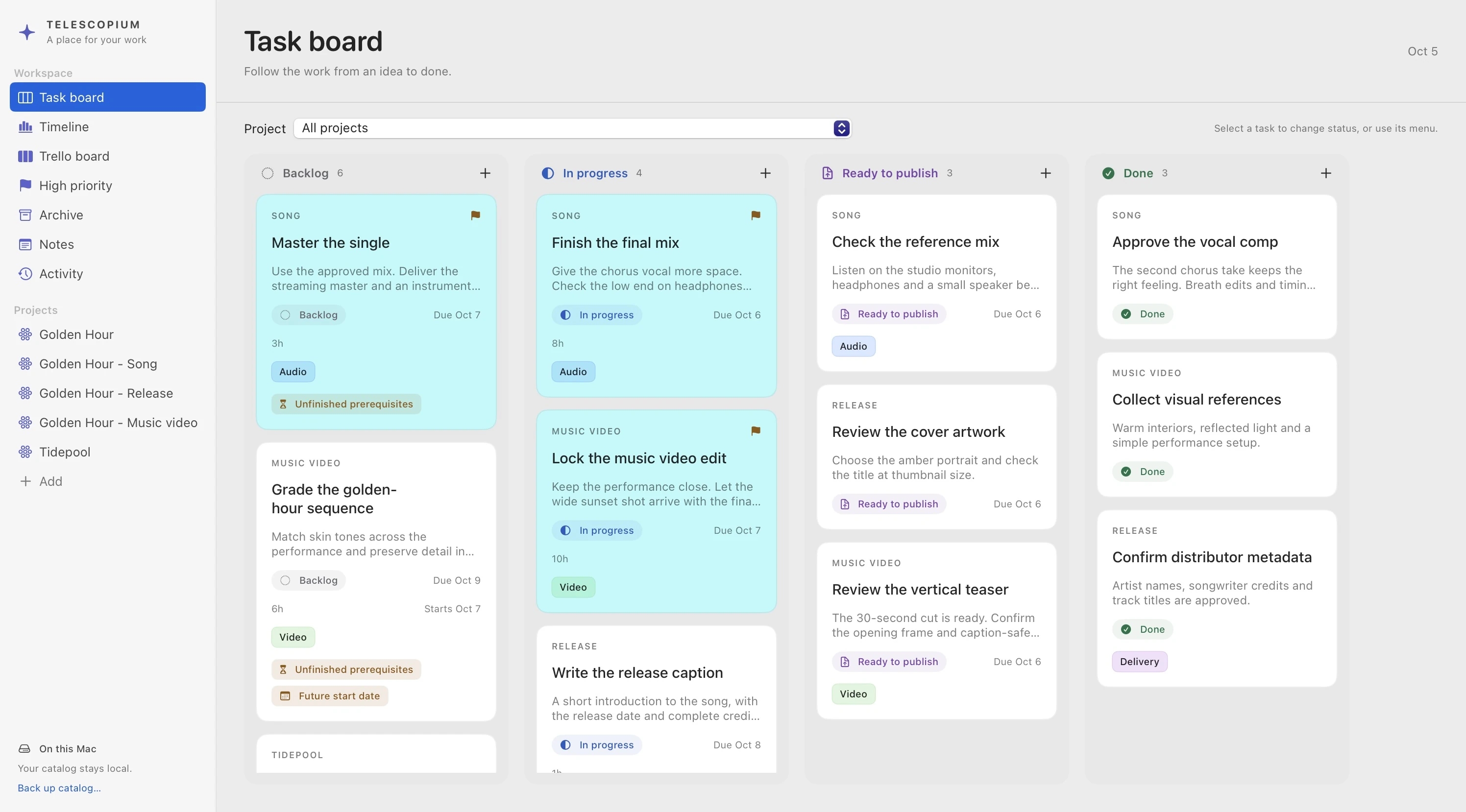
Multiple project views. You can track your progress in Pipeline view, your story arc in Shot List view, and the flow of emotions in Vibe Board view.
Full lineage tracking. Every shot retains its complete history — references, prompts, parameters, rejected and accepted iterations. Come back days later and everything is exactly where you left it.
Parallel exploration. Take multiple paths on a complicated shot simultaneously. Multi-task across shots while generations run. Artifacts stay organized by lineage, not as a flat folder.
Comparison & consistency. Pull up shots side by side, compare results, trace which references produced each, and catch any visual drift before it reaches the timeline.
Local integration. Exports respect your local folder structure. Shots move to your video editor's timeline without any scavenger hunt.
Native Mac app · Investment research
Signalbook
Promising stocks, ready for a closer look
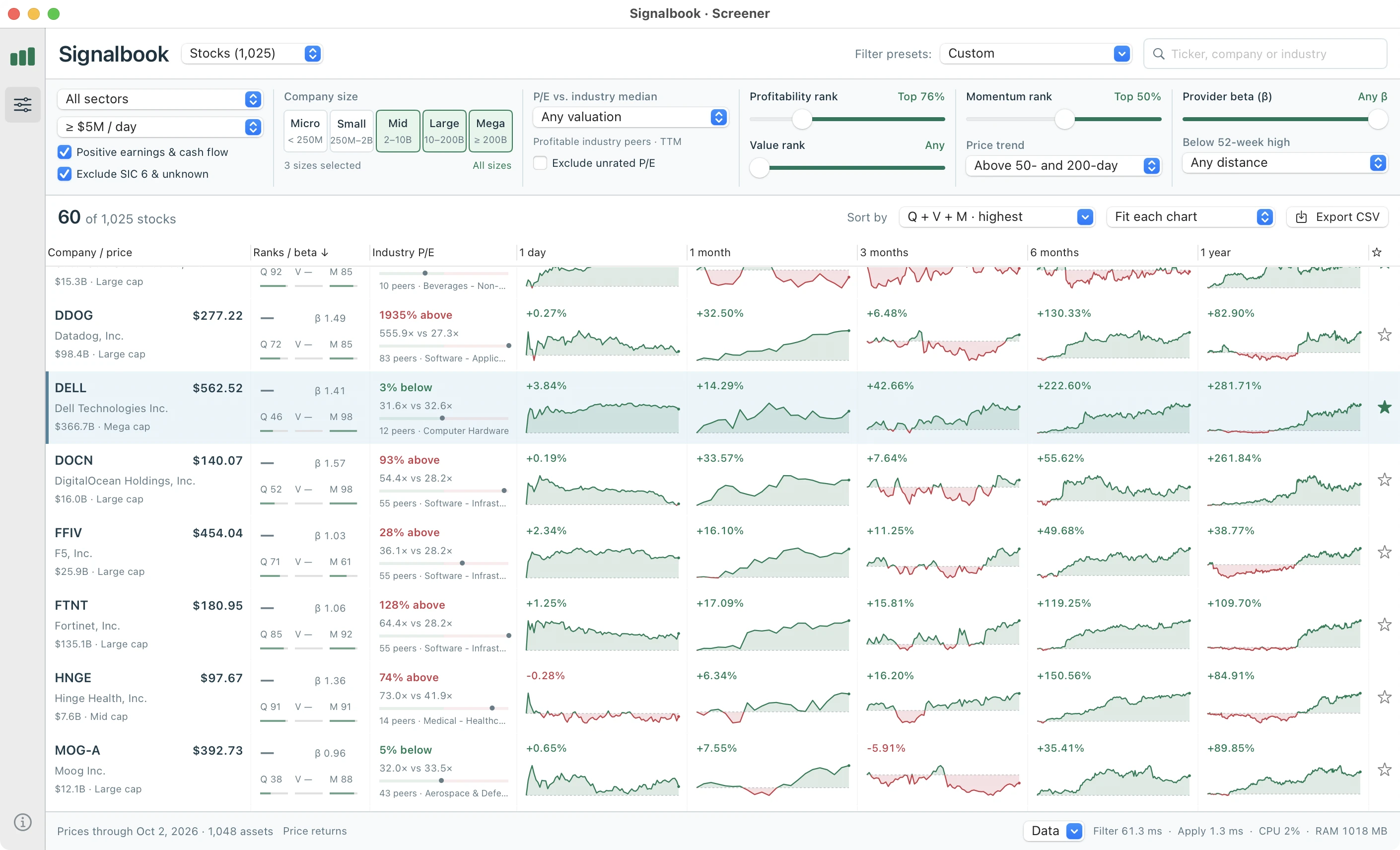
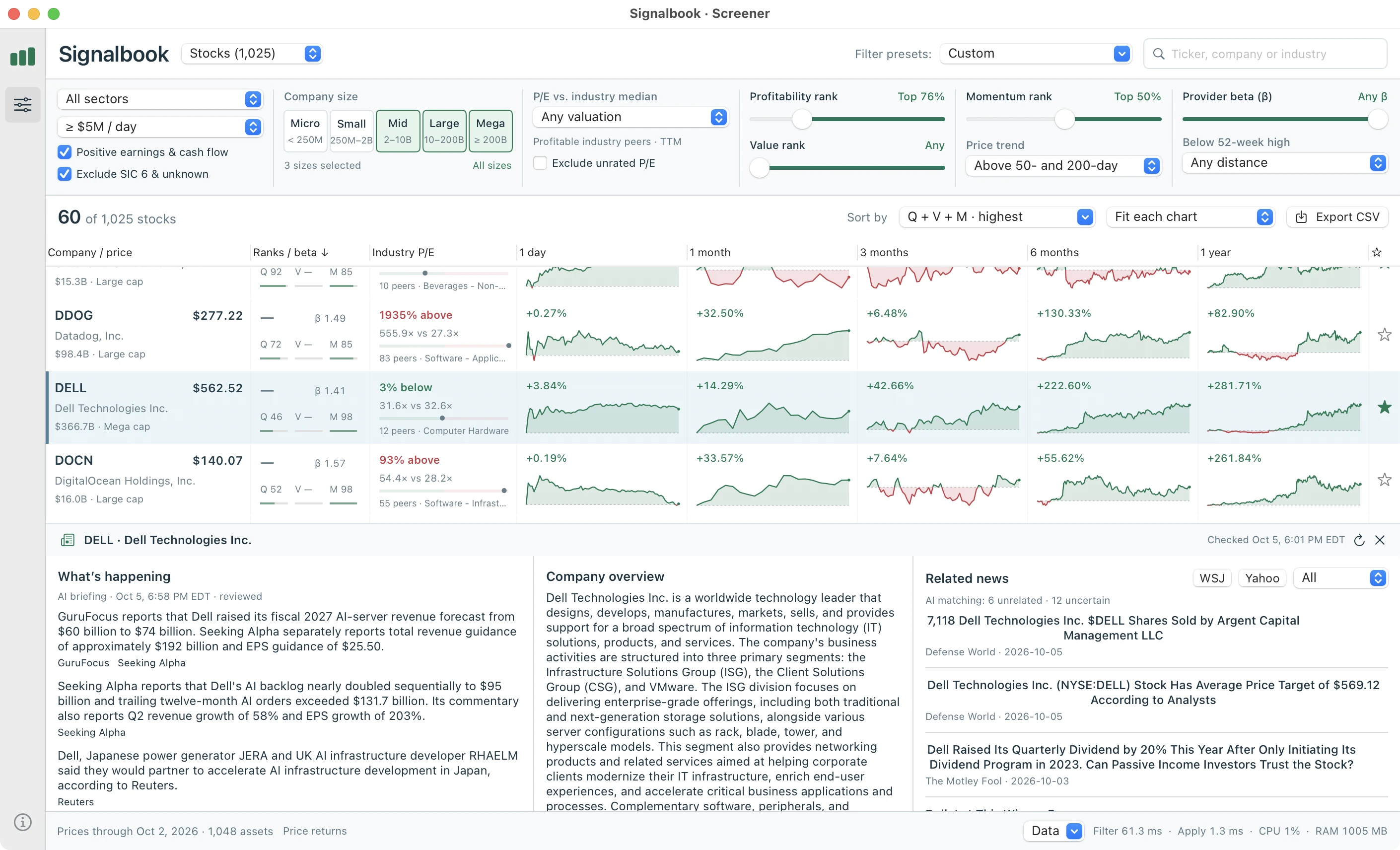
Signalbook is a native Mac research workspace that brings quantitative stock screening, price charts and AI-assisted company news into one view. It combines measures of profitability, value and momentum with accounting evidence from SEC filings to help identify companies worth investigating.
Signalbook is designed for quick visual scanning with fewer repeated mouse clicks. Each stock appears beside five simultaneous charts—from one day to one year—with screening controls directly above the results. You can compare candidates, adjust criteria and read company context without repeatedly opening detail pages or switching chart periods.
Behind the news reader, separate AI agents assess company relevance, draft a cited briefing and review it against the original excerpts. Adjustable filters, saved screens and a shortlist that holds both stocks and funds make it easy to rerun the same research.
Signalbook is currently being used in-house for investment purposes. It is not yet available on app stores.
Native Mac app · Creative production
Telescopium
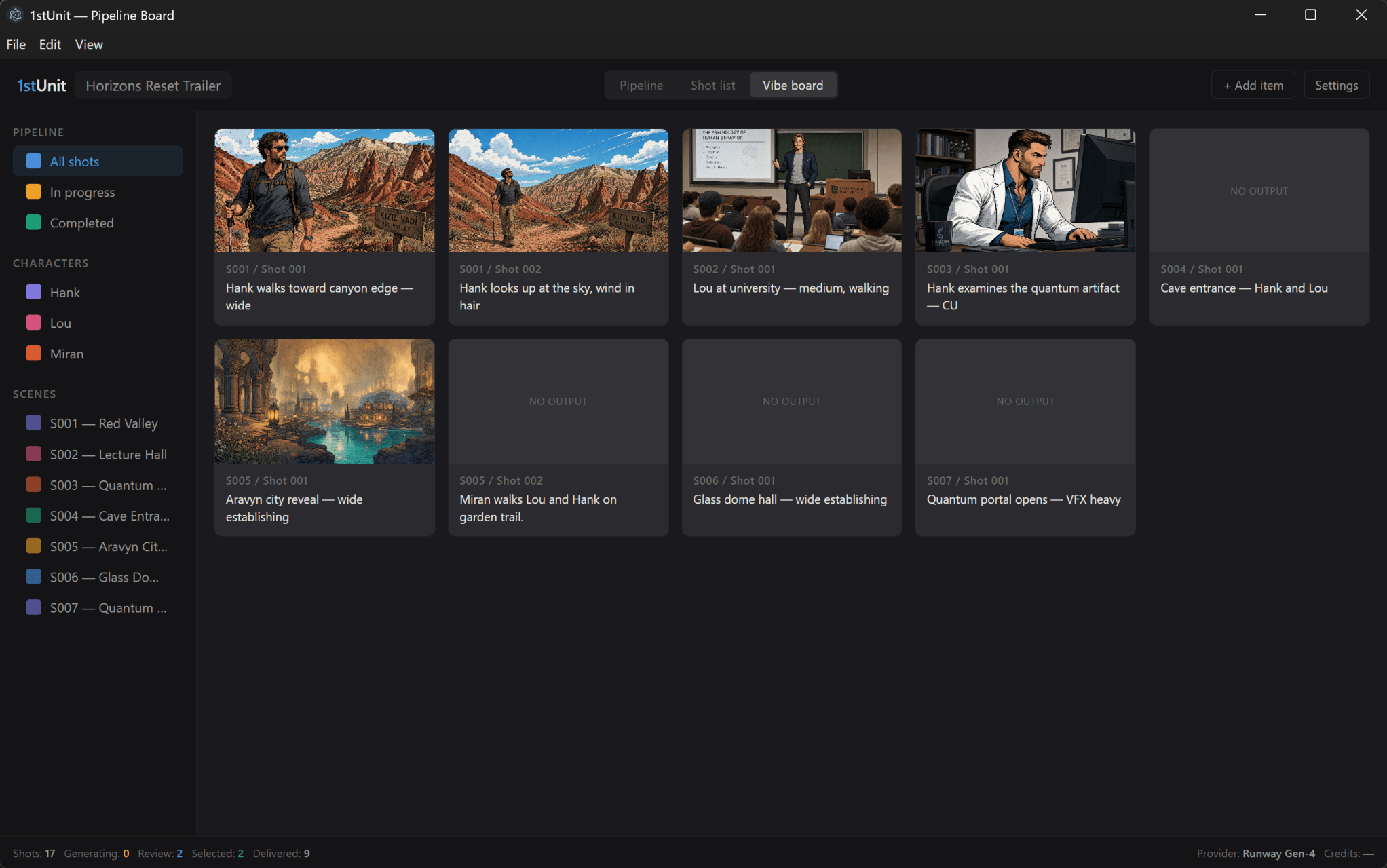
Keep your projects, tasks, notes and files connected
A song or film involves more than a list of things to do. There are sessions and media files, mix notes and edit decisions, dependencies and deadlines, and a growing collection of exports. Telescopium brings that context into one local workspace on your Mac.
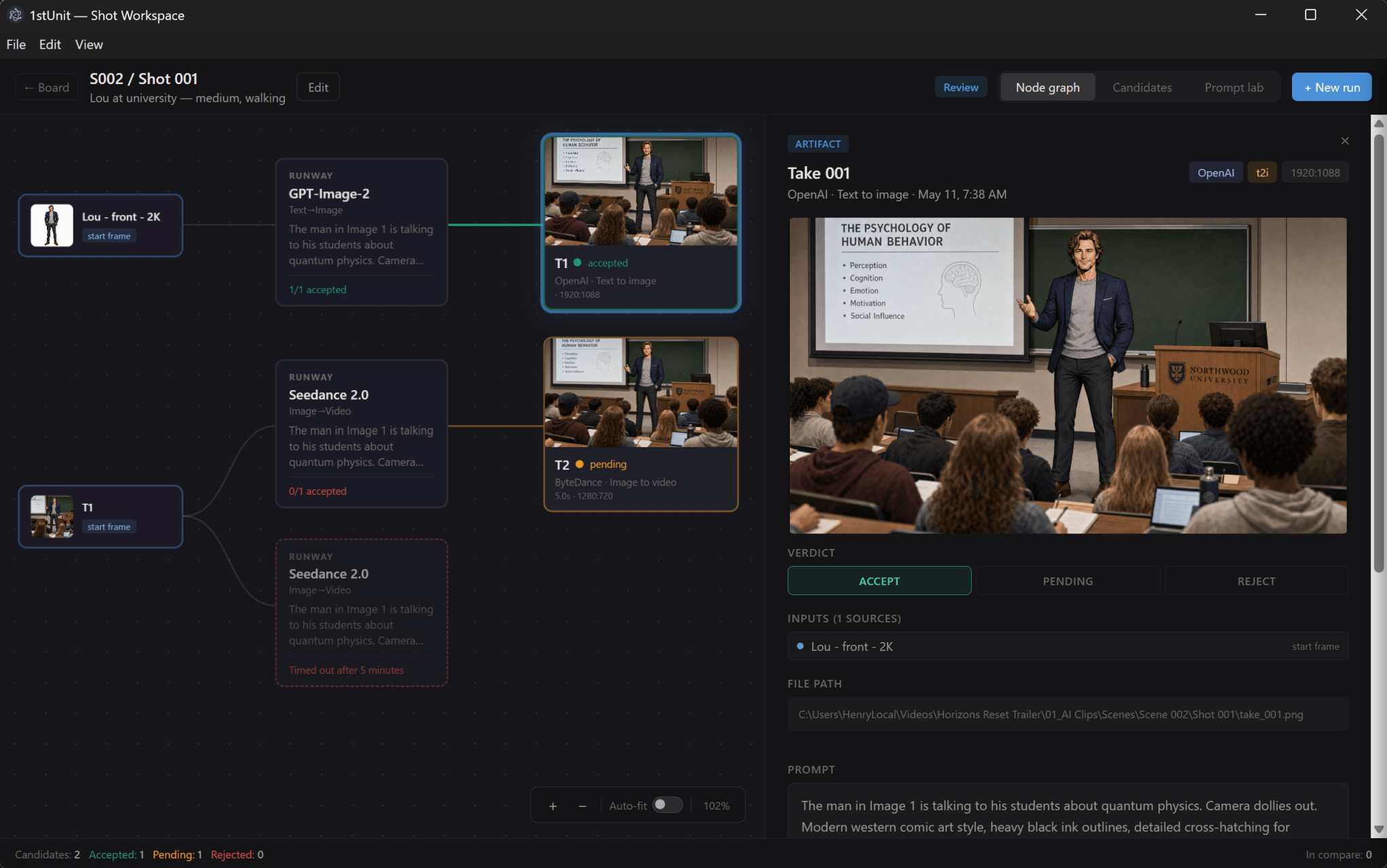
Organize projects into subprojects, connect tasks to production notes and existing local files, and move between a task board, project details and a dependency timeline. A mix revision can sit alongside its listening notes and Logic Pro session; a video export can depend on both picture approval and the final audio master.
Large media stays in your existing local folders. Telescopium keeps references to files and directories, so you can open a session, find the camera originals or locate the delivery folder from the work it belongs to. Optional Trello synchronization connects task planning with an existing board, while local file connections stay on your Mac.
Telescopium is currently in QA, with a future release planned for Apple’s Mac App Store.